First run
1. Trust the folder
Section titled “1. Trust the folder”Test discovery executes the workspace’s Playwright configuration and test files, so it only runs in folders you trust. On Zed 0.218 or newer, Zed asks whether you trust a folder (Restricted Mode) and starts language servers only after you do. That answer is the only question: the Playwright server discovers tests at once and Zed remembers the trust across restarts.
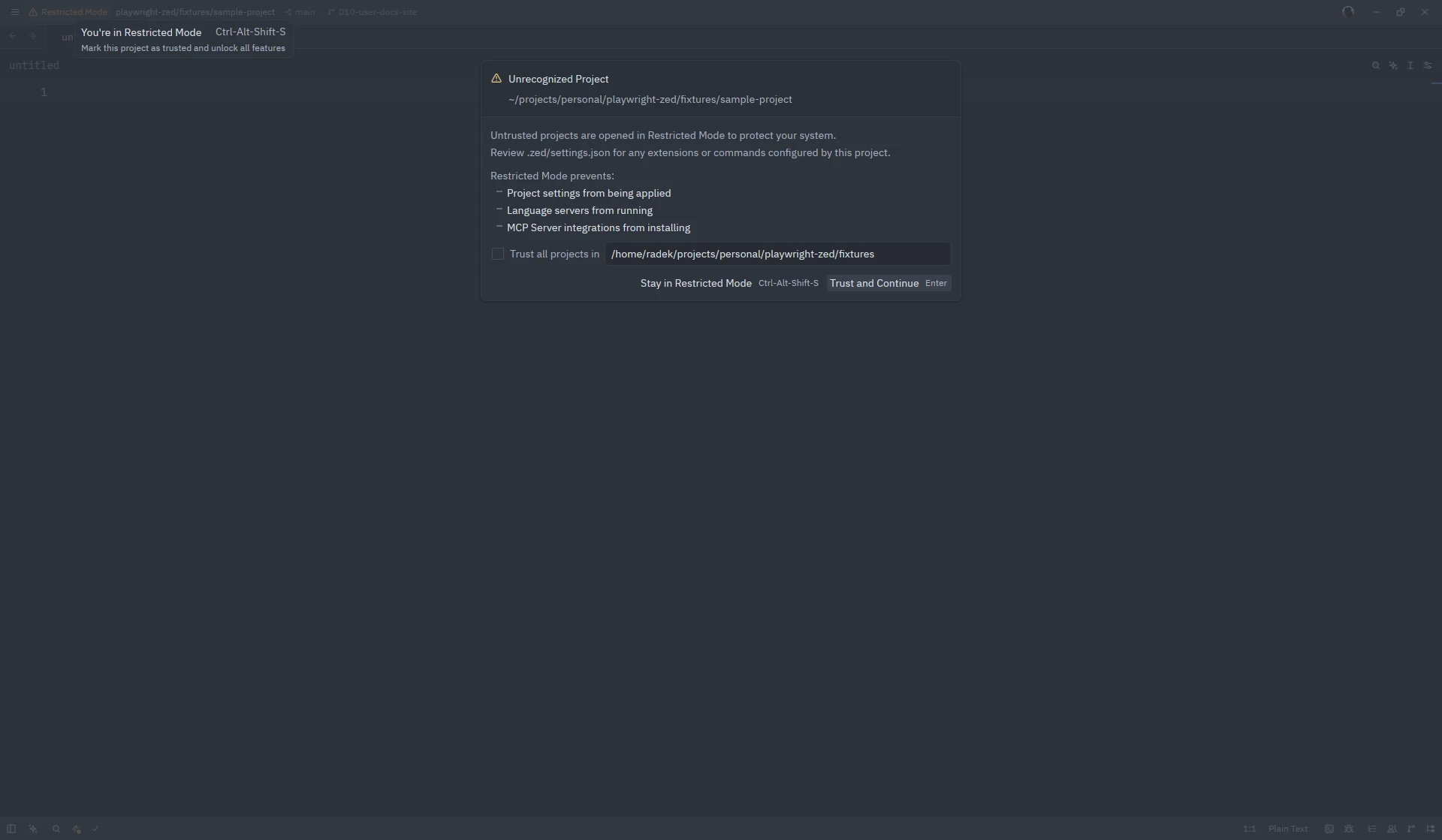
Older Zed releases and other editors get one notification from the extension instead; see Discovery consent.
2. Turn on the two settings
Section titled “2. Turn on the two settings”Code lenses and inlay hints are off by default in Zed. The run buttons above tests are code lenses, and the step labels are inlay hints, so add to your Zed settings:
{ "code_lens": "on", "inlay_hints": { "enabled": true }}Without them the extension runs tests exactly the same; only the buttons and labels are absent. See Settings for the per-language form and the extension’s own defaults.
3. Run a test
Section titled “3. Run a test”Open any spec file. After discovery, ▶ Run test appears above each test and
▶ Run describe above each group. Click one, or press ctrl-. (cmd-. on macOS) and
choose Playwright: Run test at cursor.
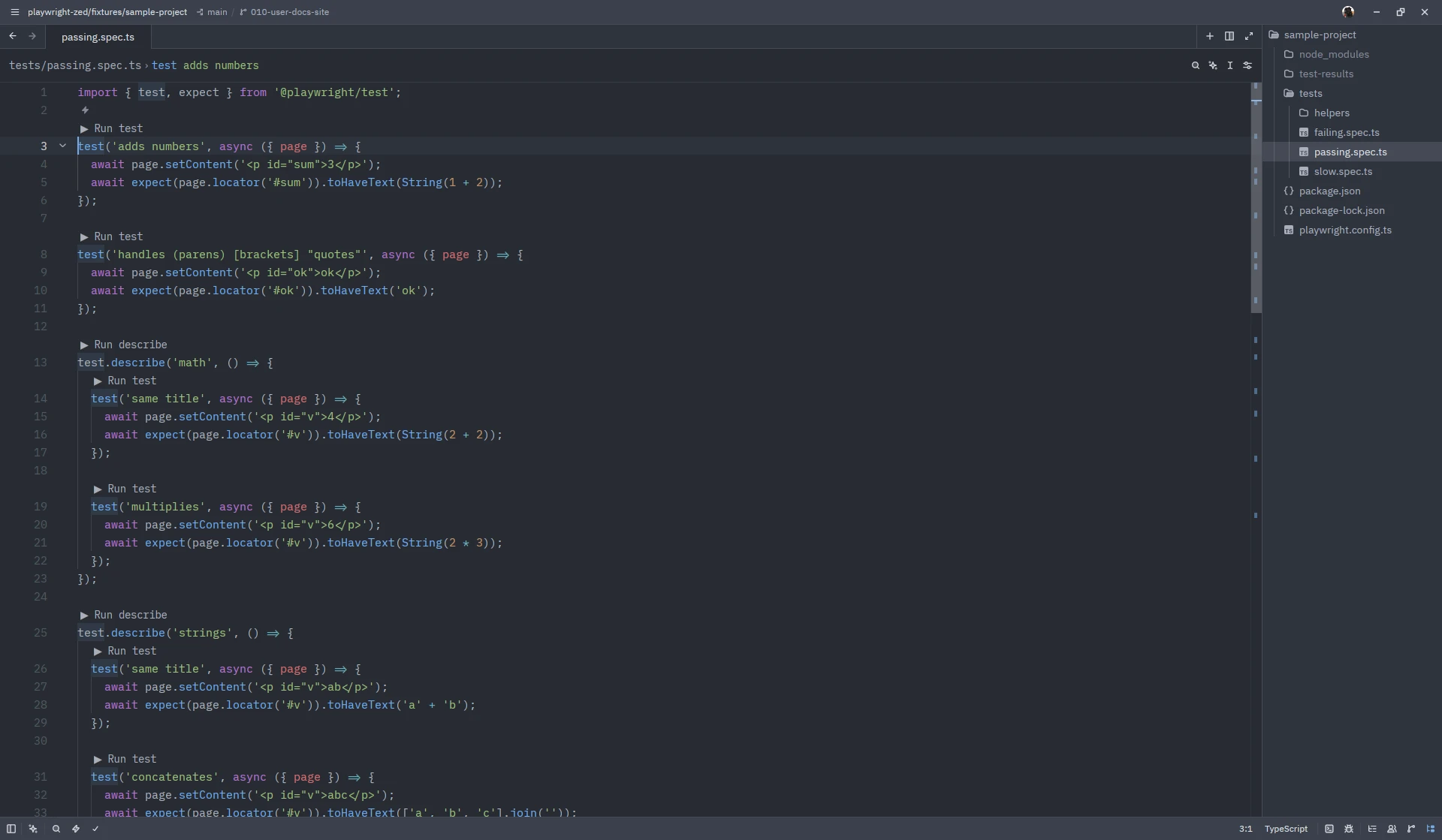
The result arrives as a progress indicator, a pass or fail notification, an error marker on each failing line, and the full output in a tab. Everything else is on the Run tests page.
Screenshots on this site show Zed 1.26.2 on Linux with Playwright Runner 0.8.0; the window chrome differs per platform.