Show browser
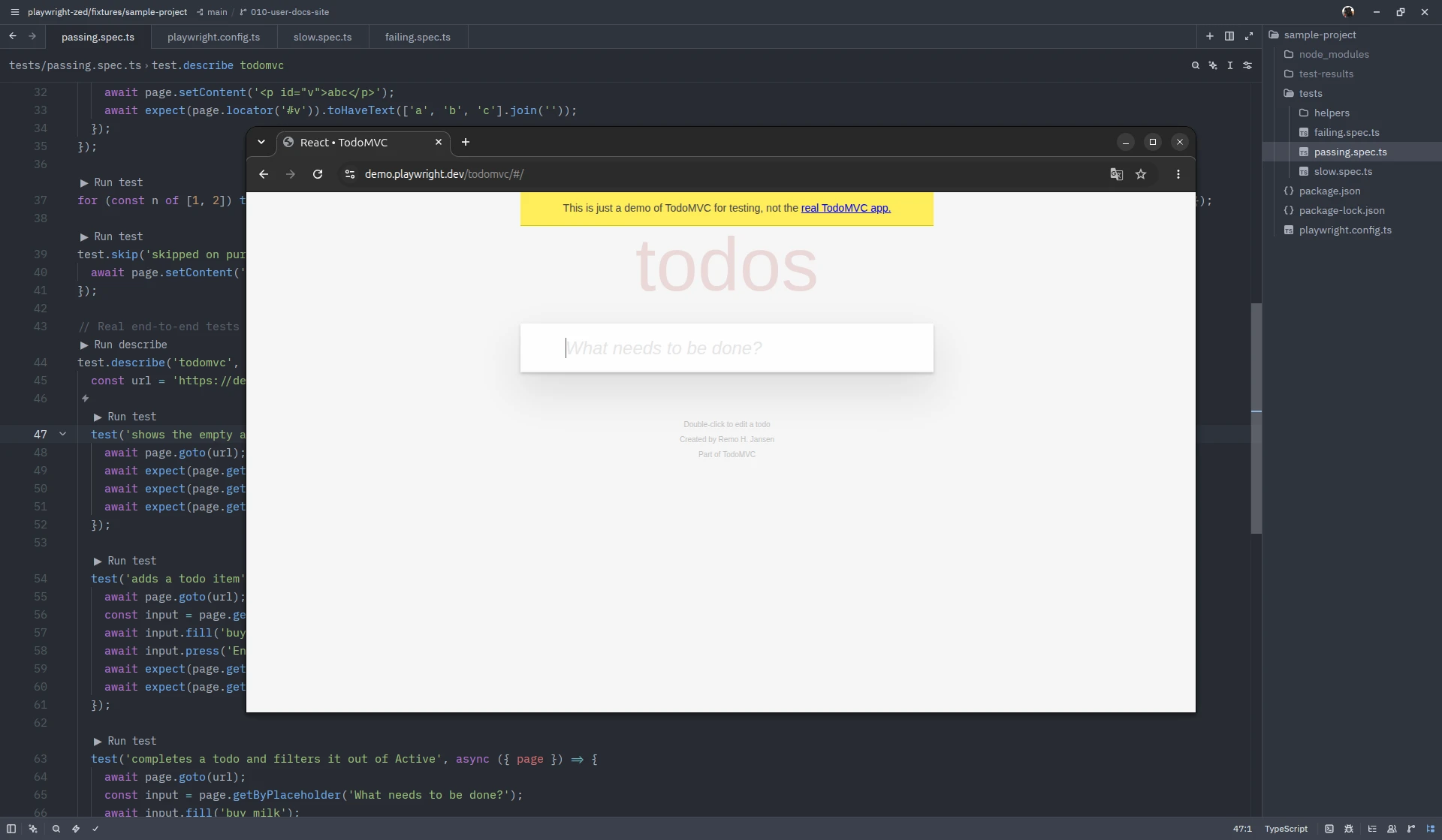
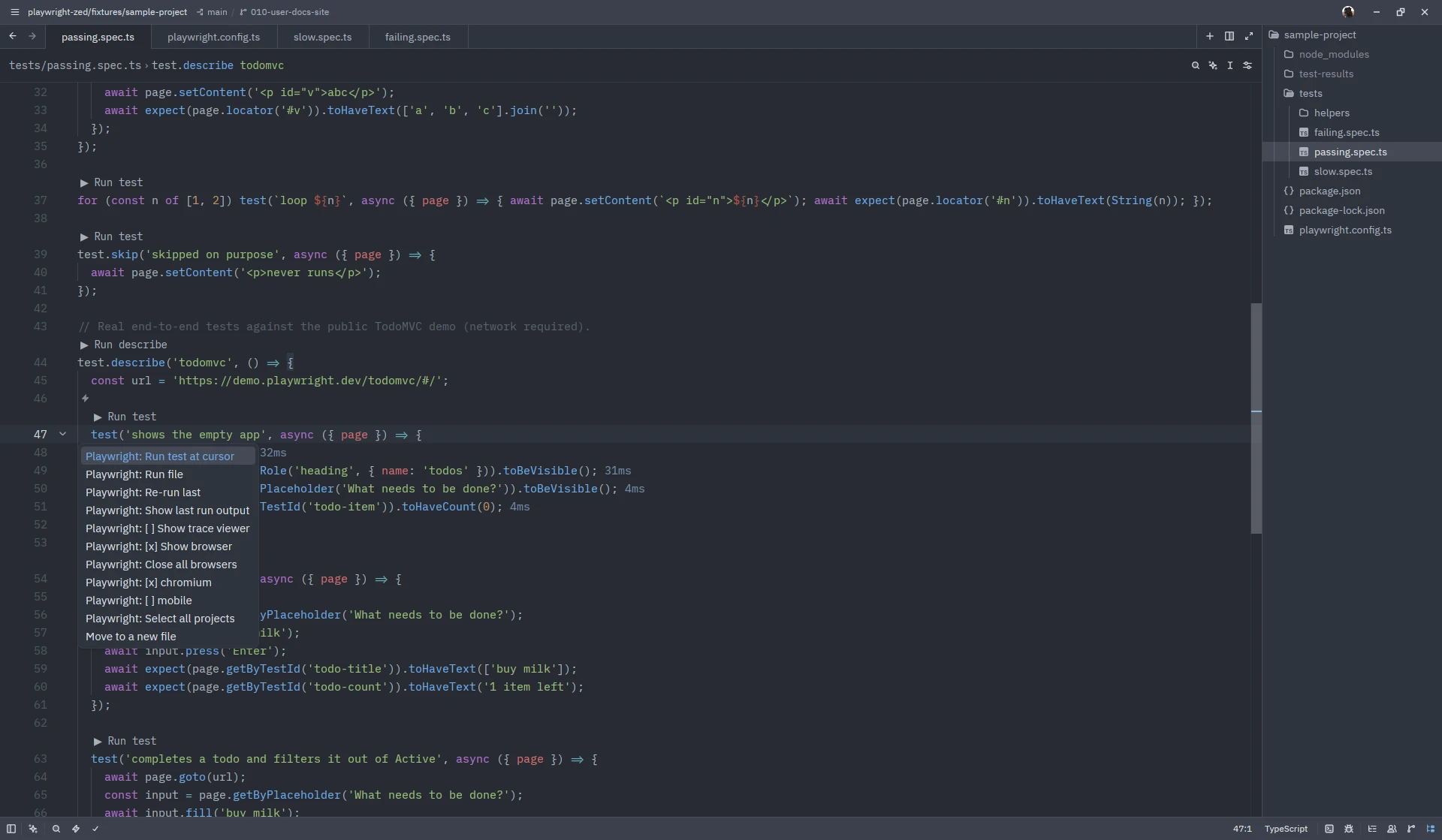
Like the VS Code extension’s Show browser checkbox, Playwright: [ ] Show browser
(in the ctrl-. menu of any file that belongs to a Playwright configuration) makes every
run open a visible browser window and keeps that browser alive between runs.
How it behaves
Section titled “How it behaves”- Runs go through the browser one test at a time (
--headed --workers 1), so you can watch what the test does. The window stays open after the run with the last page still shown, and the next run continues in the same window. Close the window by hand and the next run opens a new one. - Playwright: Close all browsers closes the kept browser without changing the option; the next run opens a fresh one. It is refused while a run is in progress.
- Choose Playwright: [x] Show browser again to turn it off: the browser closes (after the current run, if one is in progress) and runs go back to headless with your configuration’s own worker count. Every toggle is confirmed by a notification, for the same menu-caching reason as the project picker.
Trace viewer and video
Section titled “Trace viewer and video”A shown run never records a trace (--trace off), as upstream does, and the two options
exclude each other: turning Show browser on turns
Show trace viewer off and closes its window;
turning Show trace viewer on turns Show browser off and closes the kept browser.
Only a folder default in settings can leave both on, and then runs record no trace and
the first such run says so once.
The VS Code extension also turns video recording off while the browser is shown; the command line has no switch for that, so a project that records video keeps doing so and Playwright then opens a fresh context per test instead of reusing one.
Under the hood
Section titled “Under the hood”The extension starts one playwright run-server process per configuration from your
project’s own Playwright (in its extension mode, so the browser is reused across
connections) and gives each run PW_TEST_CONNECT_WS_ENDPOINT and
PW_TEST_REUSE_CONTEXT=1, exactly the hooks the VS Code extension uses. The process ends
when you close the browsers, turn the option off, or quit Zed; if it dies on its own, a
notification says so and the next run starts a new one. If it cannot start, you get one
error notification with the command and the run does not start.
The choice is remembered per user in show-browser.json under the
state directory. A folder or team default is
the reuseBrowser key (the upstream setting name) of the
settings block and applies until you toggle the
option yourself.
Screenshots on this site show Zed 1.26.2 on Linux with Playwright Runner 0.8.0; the window chrome differs per platform.