Discovery consent
Test discovery runs playwright test --list in your workspace, which executes the
workspace’s Playwright configuration and test files. The extension therefore runs nothing
from a folder until it is trusted, much like Workspace Trust protects the upstream VS Code
extension.
Zed 0.218 or newer
Section titled “Zed 0.218 or newer”Zed asks whether you trust a folder (Restricted Mode) and starts language servers only after you do. That answer is the only question: the Playwright server discovers tests at once and Zed remembers the trust across restarts.
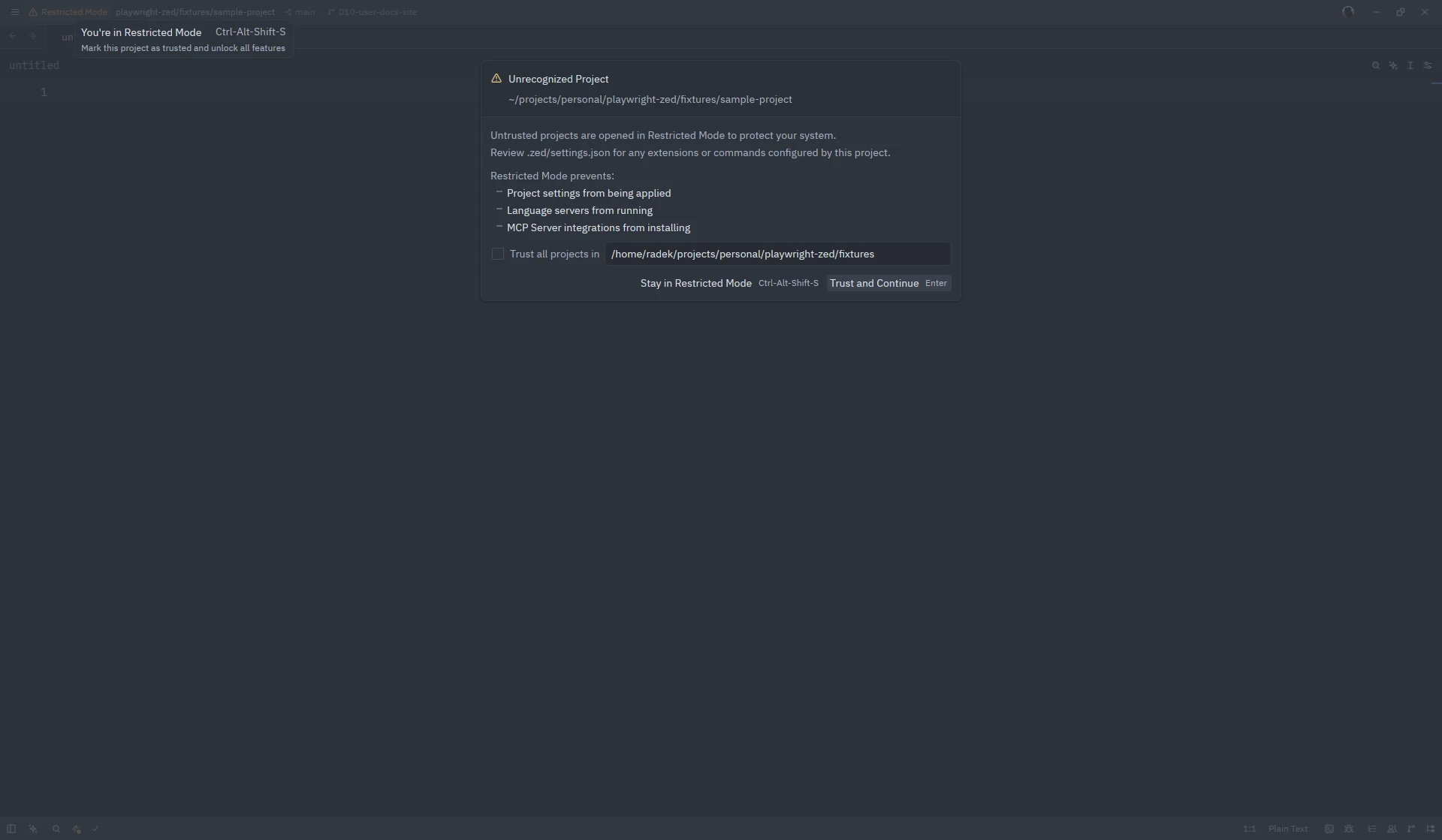
- To revoke trust, run
workspace: clear trusted worktrees(it clears every trusted folder and restarts Zed). "session": { "trust_all_worktrees": true }in your user settings makes discovery run in every folder without asking, as turning off Workspace Trust does in VS Code.- Inside a dev container Zed applies no worktree trust, so discovery runs without a question once you have chosen Open in Container.
Older Zed releases and other editors
Section titled “Older Zed releases and other editors”The Playwright server shows one notification: it names the folder, explains that discovery executes the workspace’s Playwright configuration and test files, and offers Run discovery and Not now. The same question appears on any Zed release when a folder reaches the server only as a root URI rather than as a workspace folder.
- Run discovery starts discovery at once; lenses and run actions appear and nothing asks again until Zed is restarted or the folder is closed.
- Not now, or closing the notification, keeps the extension idle for that folder:
nothing from it is executed and no run actions are offered. To change your mind, open
any file in the folder, press
ctrl-.and choose Playwright: Enable test discovery. - The answer is remembered for the editing session only; each root folder is asked separately. Reading the installed Playwright version never executes workspace code, so the “version too old” warning can appear before you answer.
Screenshots on this site show Zed 1.26.2 on Linux with Playwright Runner 0.8.0; the window chrome differs per platform.