Projects
Playwright runs each test once per project of your playwright.config.*, and most
projects name a browser. Like the VS Code extension, the runner starts with the first
project selected; a configuration with a single project behaves exactly as before and
shows no picker.
Picking projects
Section titled “Picking projects”In any file that belongs to a configuration with two or more projects, ctrl-. lists
them as Playwright: [x] chromium, Playwright: [ ] firefox, and so on. Choosing an entry
toggles that project; at least one stays selected. Playwright: Select all projects
selects every one.
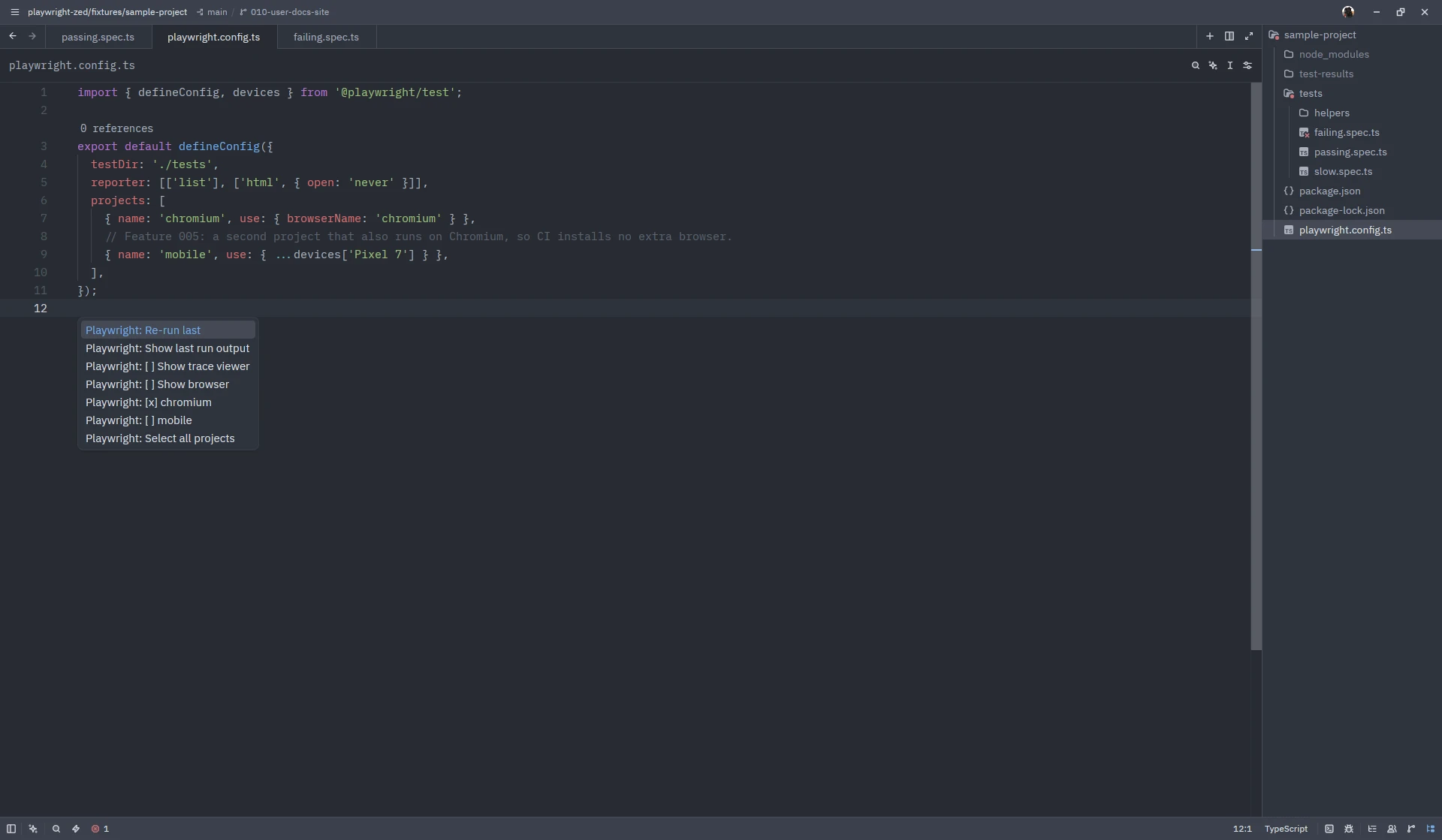
Runs pass the selected projects to Playwright (no filter when all are selected), the run lenses show only tests that run in a selected project, and the progress message names the projects used. With two or more projects, each failing project gets its own error marker and the message starts with the project in brackets.
Remembered per configuration
Section titled “Remembered per configuration”The choice is remembered per configuration file in project-selection.json under the
state directory. A project that disappears from
the configuration is dropped from the selection with one notice; a new project stays
unselected until you pick it.
A team default for a folder is the projects key of the extension’s
settings block; it applies when you have not
picked anything yet. Names the configuration does not define produce one warning listing
the available projects. This setting is specific to the Zed extension; the upstream
VS Code extension has no equivalent.
The menu lags one toggle behind
Section titled “The menu lags one toggle behind”Every toggle is confirmed by a notification naming the projects now selected. Zed keeps
the ctrl-. menu cached per cursor position, so reopening it at the very same spot right
after a toggle still shows the old [x] marks; the notification shows the real state,
and the next cursor move (another line is enough) refreshes the menu.
Screenshots on this site show Zed 1.26.2 on Linux with Playwright Runner 0.8.0; the window chrome differs per platform.