Run tests
Playwright Runner runs the Playwright installed in your workspace, headless. Results arrive as a progress indicator, a pass or fail notification, an error marker on each failing line, and the full output in a tab.
From the editor
Section titled “From the editor”| Action | How |
|---|---|
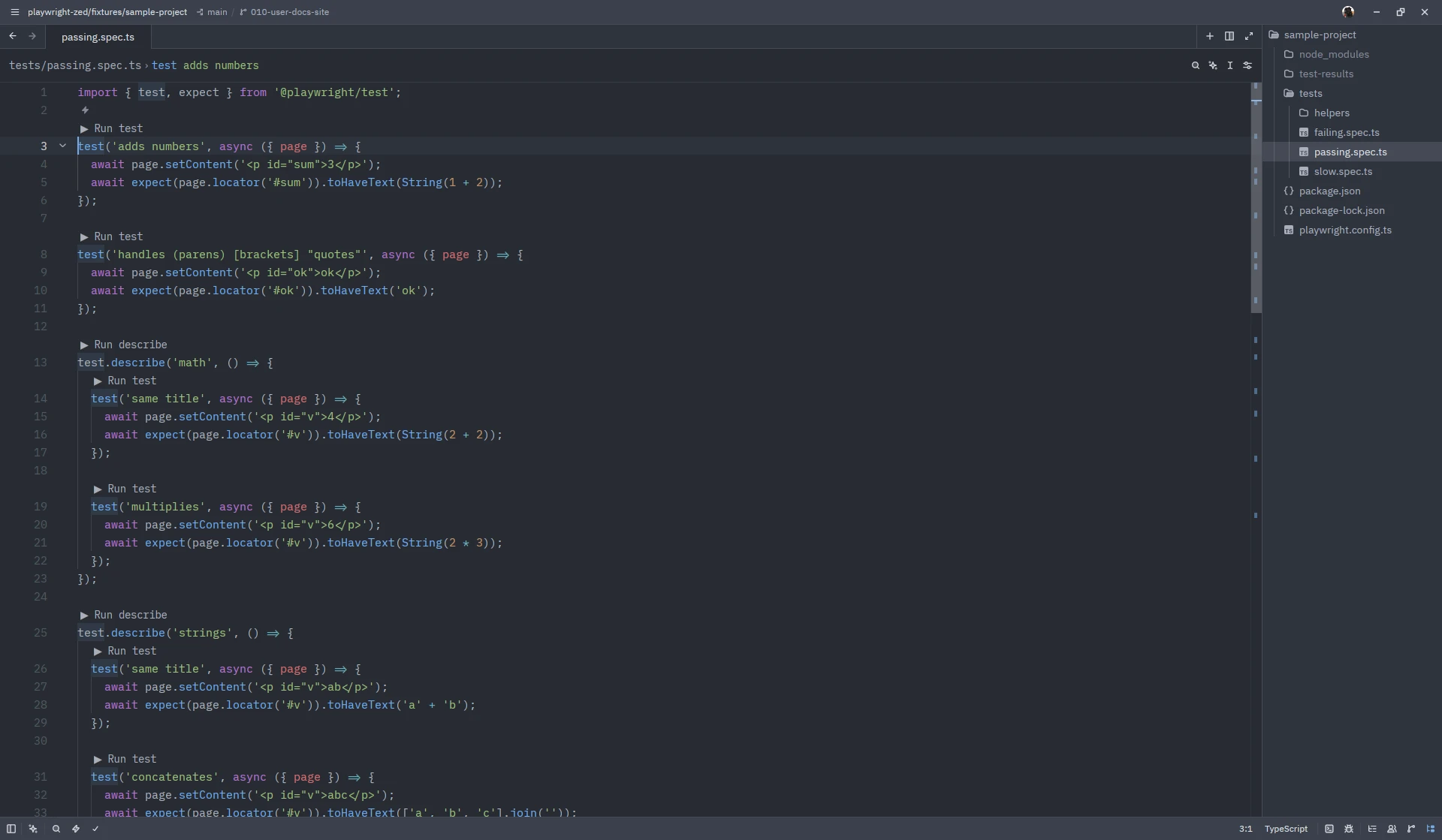
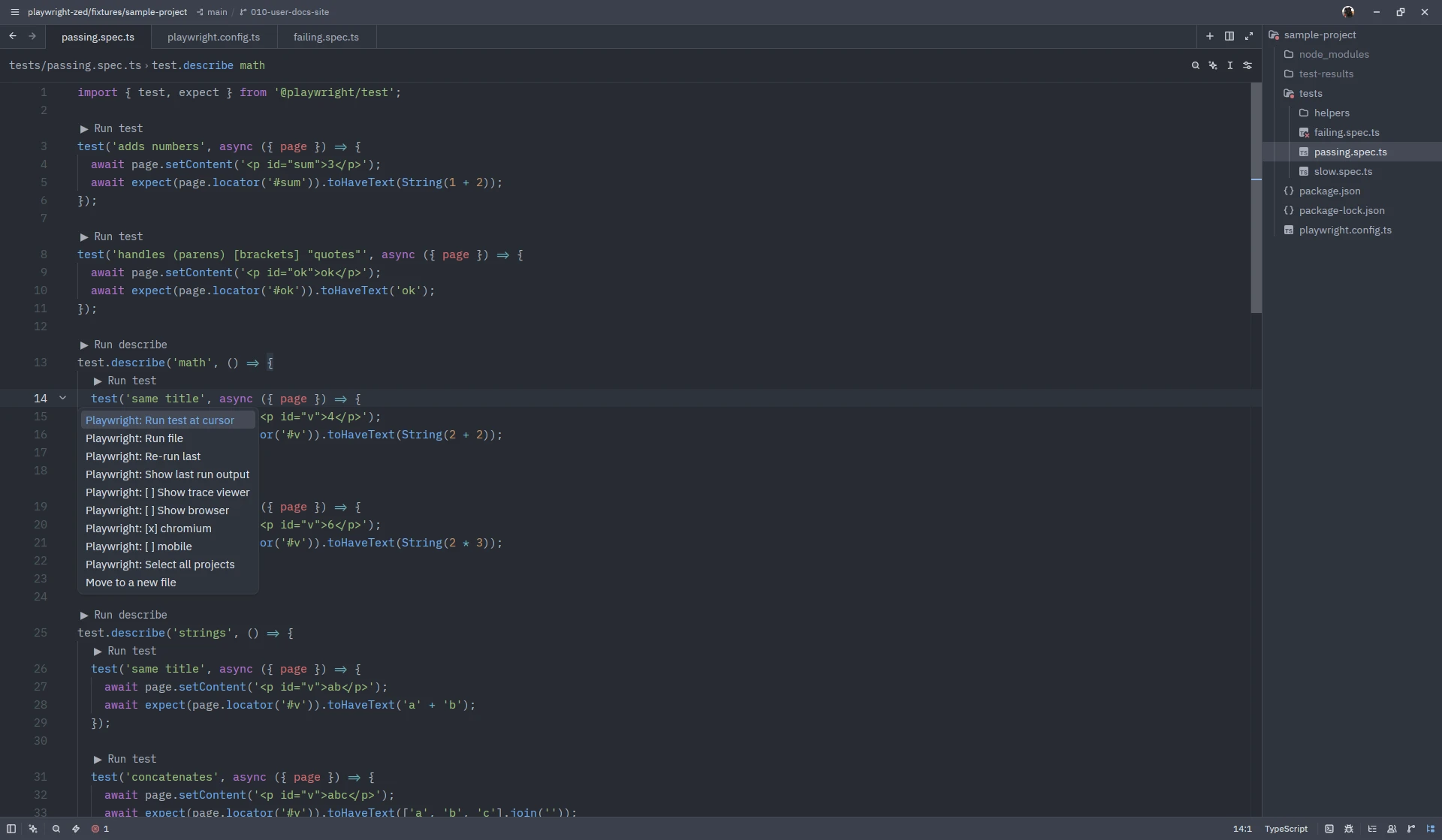
| Run the test under the cursor | ctrl-. then Playwright: Run test at cursor, or click the ▶ Run test lens |
| Run a whole describe | cursor on the test.describe line, same action, or ▶ Run describe |
| Run the whole file | ctrl-. then Playwright: Run file |
| Repeat the last run | ctrl-. anywhere in the workspace, Playwright: Re-run last |
What you get back
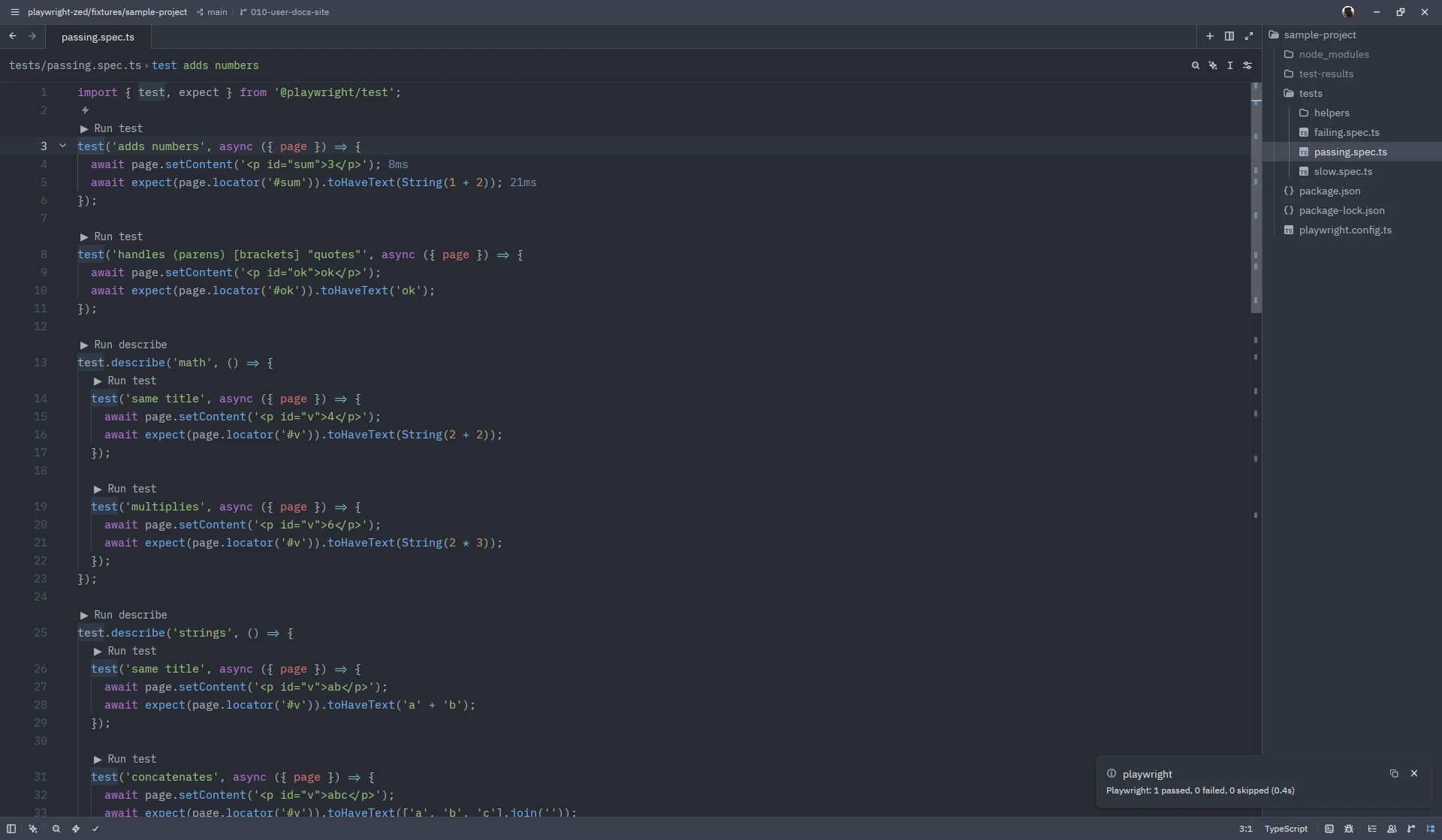
Section titled “What you get back”- A progress indicator while the run is in progress; starting another run cancels the first one.
- A notification such as “1 passed, 0 failed, 0 skipped (0.4s)”; the time is Playwright’s own measurement.
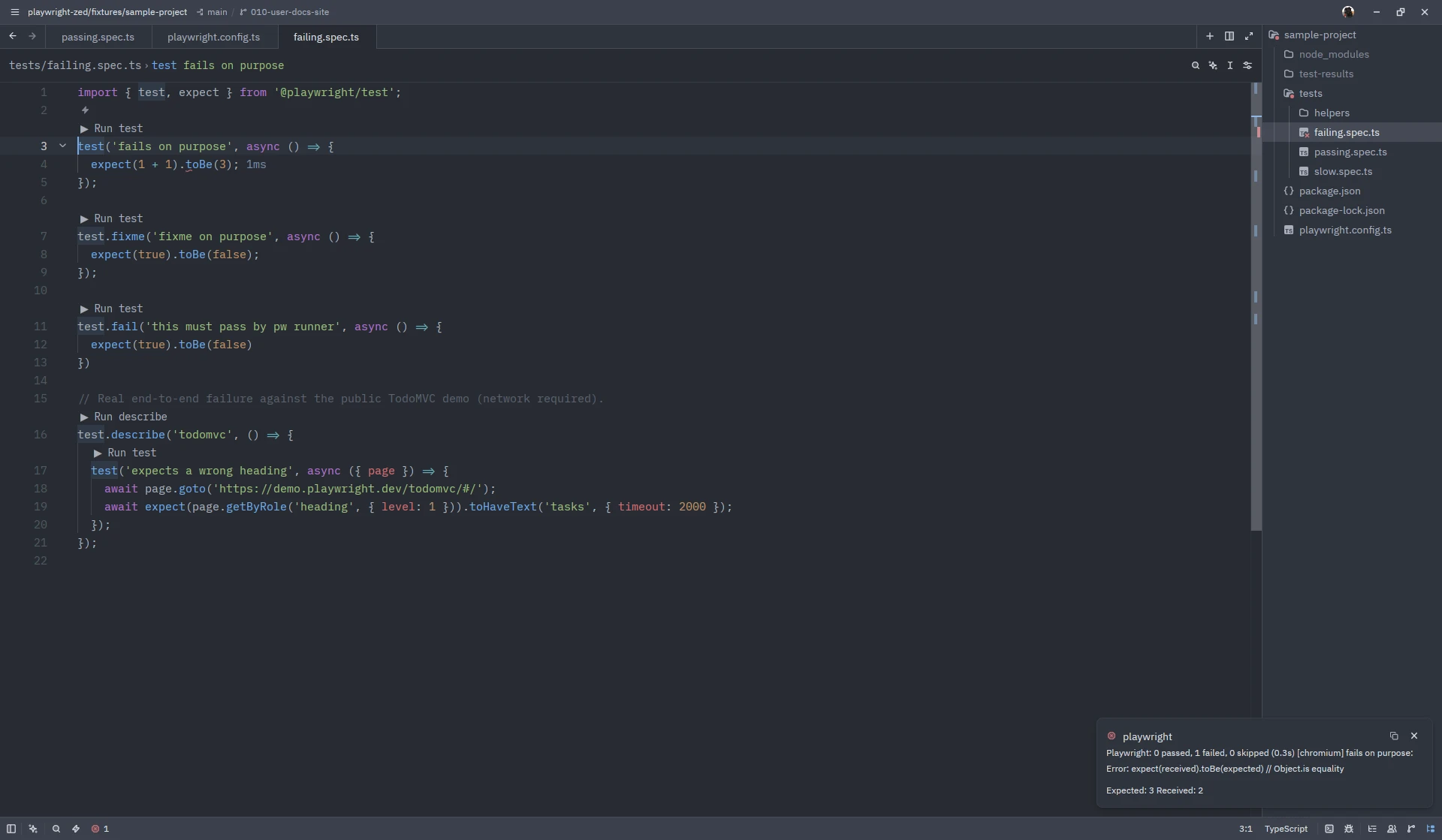
- An error marker on the failing line until you edit the file or run again. With two or
more projects, each failing project gets its own marker and the message starts with the
project in brackets, for example
[mobile] adds numbers: .... - The complete output of the run, one
ctrl-.away: see Step labels and run output.
Good to know
Section titled “Good to know”- Runs use the file on disk. If the buffer has unsaved changes you get a warning and the saved version runs.
- With several configuration files, the one nearest to the test file is used.
- Playwright below v1.38 produces a single warning and disables running.
- Runs pass the selected projects to Playwright and honour the trace viewer and show browser options.
Screenshots on this site show Zed 1.26.2 on Linux with Playwright Runner 0.8.0; the window chrome differs per platform.