Step labels and run output
Step labels
Section titled “Step labels”While a test runs, the step that is executing right now carries a ⌛ waiting… label at
the end of its line; afterwards every step line shows how long it took (2003ms, or
2003ms (ran 2×) when the line ran in two projects).
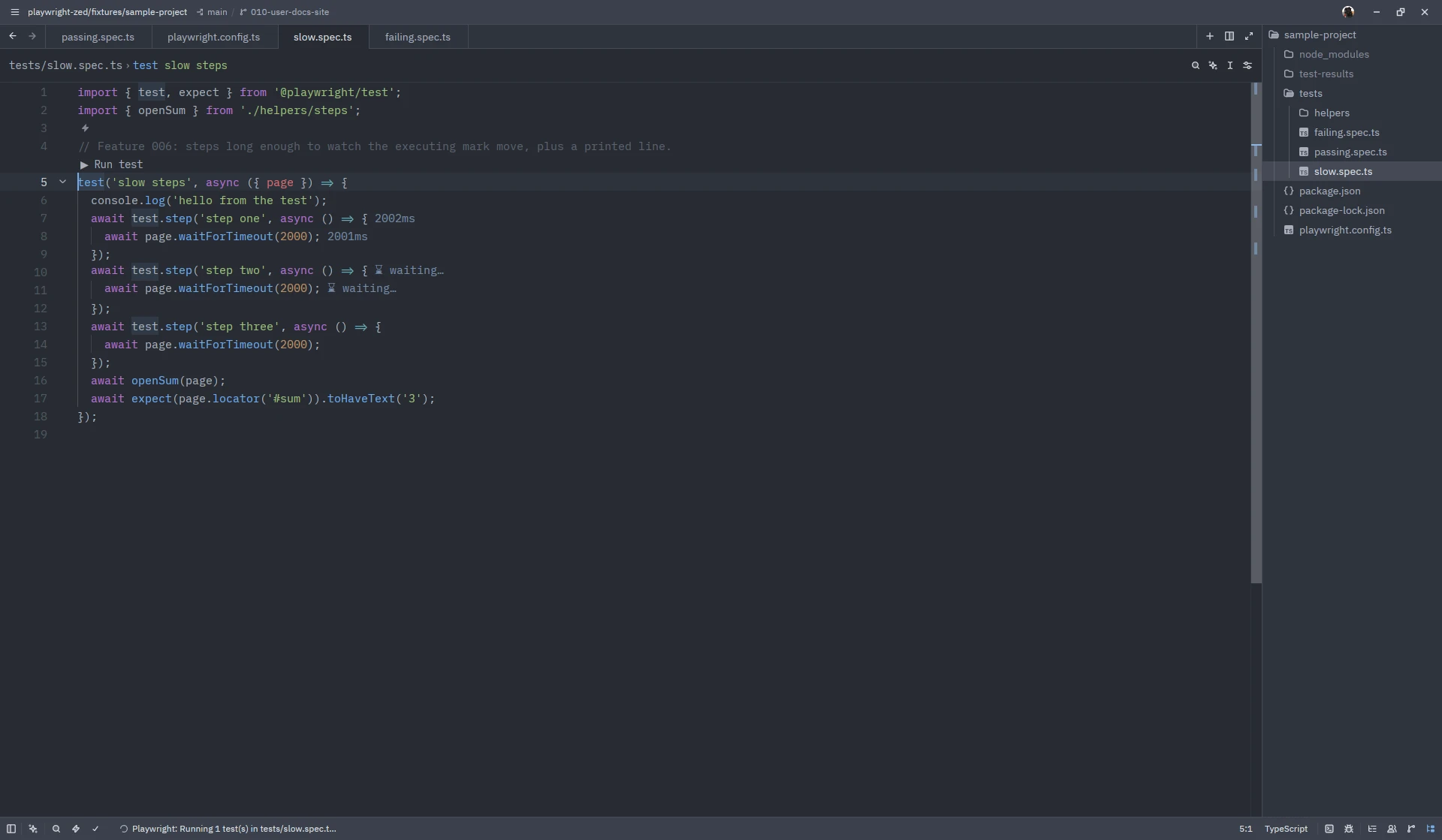
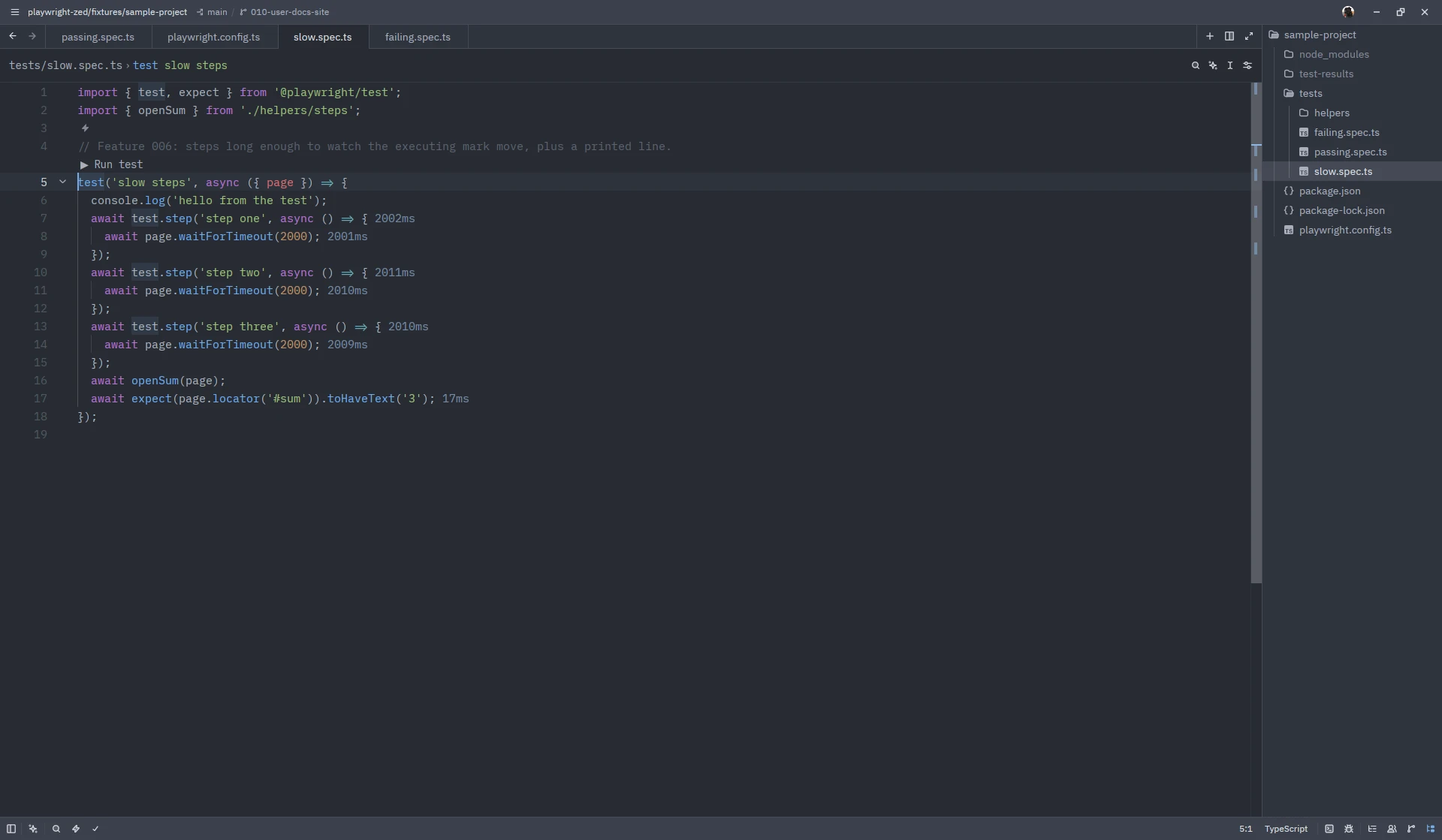
- The labels are inlay hints, so they need
"inlay_hints": { "enabled": true }in your Zed settings (see Settings). - Step labels follow the file: an edit removes the durations of that file (their lines may have moved), the next run removes all of them, and closing and reopening an unedited file brings them back.
- Steps inside helper files and page objects are labelled there.
- The executing step is marked with a trailing label, not a highlighted line, because Zed has no decoration API for extensions.
Run output
Section titled “Run output”Playwright: Show last run output (ctrl-. after a run) opens the complete output of
the latest run in an editor tab: the command line, Playwright’s own report, everything the
test printed.
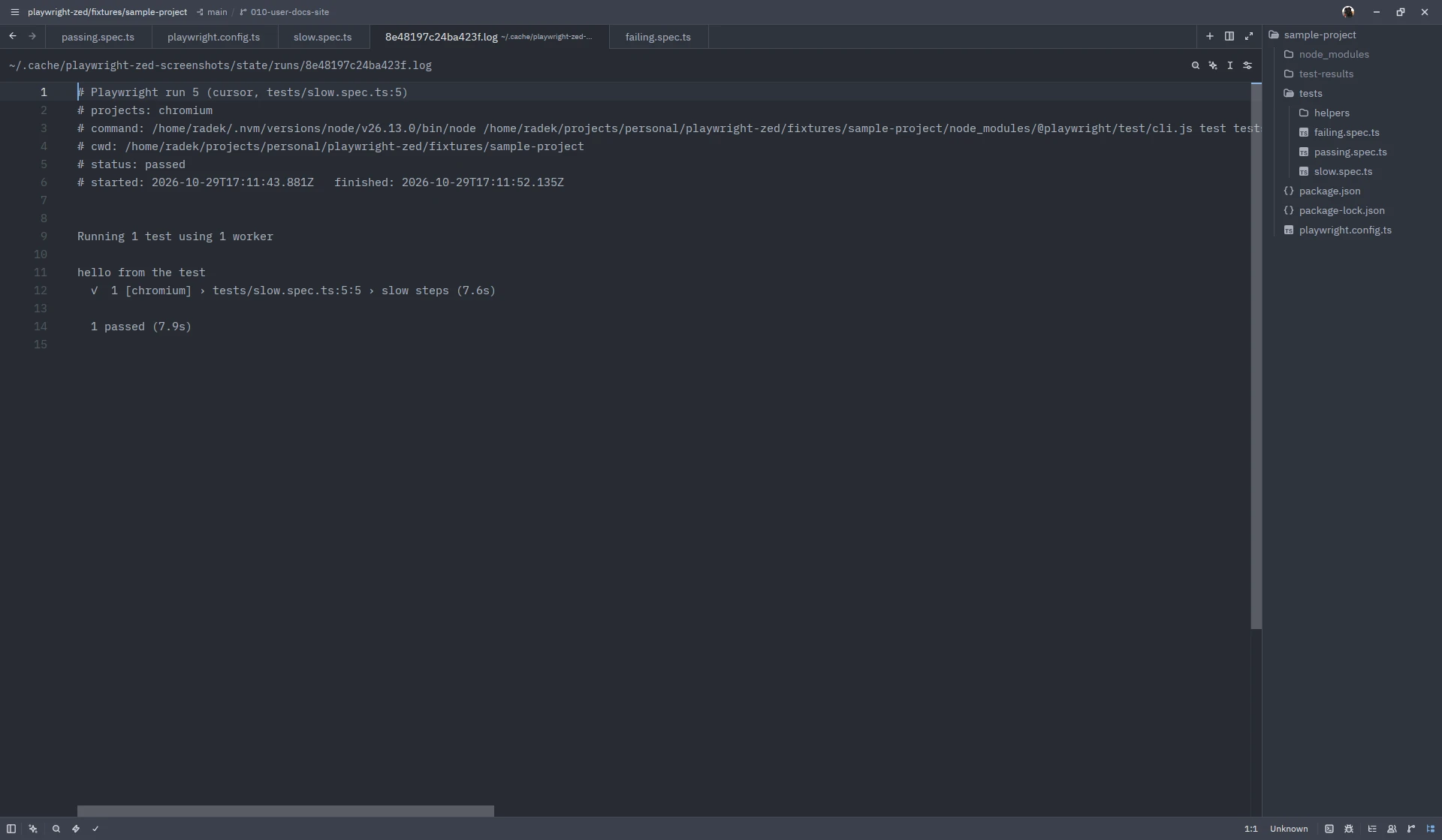
- The output is written to the
runs/folder under the state directory, one file per workspace, latest run only, and opened as a normal buffer. Zed keeps the tab in sync with the file, so the next run updates it in place. - Put the cursor on a
tests/foo.spec.ts:12:7reference and useeditor: open selected filenameto jump there. - The same output also lands in Zed’s language server log
(
dev: open language server logs, pick Playwright). - If you want a real terminal instead of a tab, see the tasks recipe on the Help page.
Screenshots on this site show Zed 1.26.2 on Linux with Playwright Runner 0.8.0; the window chrome differs per platform.